Windows 10/11 · runs offline
Cut in two seconds. Join without re-encoding.
A 2 GB file is cut in about a second: drag two handles, press start, done. No install, no account, no upload — and the original pixels stay untouched.
One-time purchase. Regular price $14.99, launch price $7.99 for the first 100 orders or two weeks. 14-day refund, no questions asked. Mainland China: ¥39 — WeChat Pay / Alipay, ordered by email.
Windows 10/11, 64-bit · about 225 MB unpacked · any modern browser (Edge, Chrome, Firefox) is needed for the interface · nothing is installed system-wide.
Four things it does well
No timeline editor, no effects, no cloud library. IntactClip does batch cutting and cross-source merging, and it does them without touching your pixels.
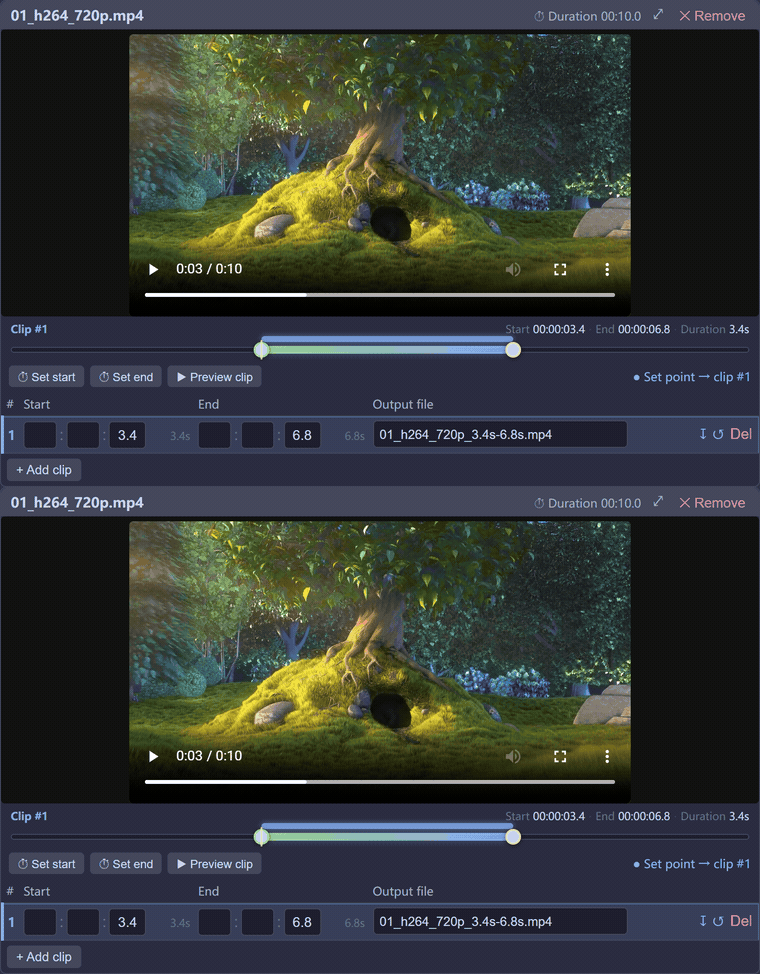
Fast: a 2 GB file in about a second
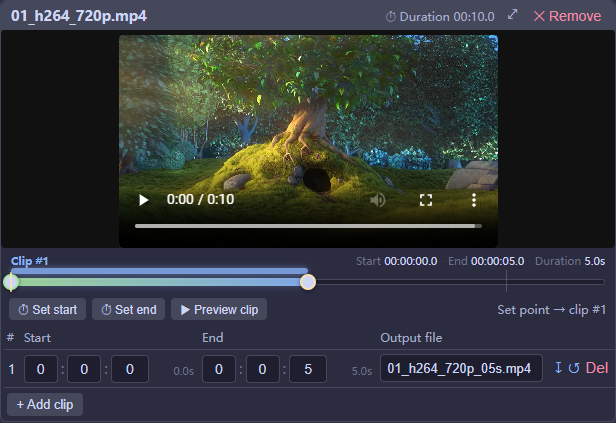
Trimming uses -c copy: queue many files, give each several time ranges, cut them all in one run. Stream copy means seconds instead of minutes, with no generation loss.
Smooth: handles snap to keyframes
Drag two handles to set the range. Lossless cuts can only start on a keyframe, and the UI tells you exactly how far off that is — down to a single frame — with a one-click switch to frame-accurate mode.
Reliable: clips from different sources just join
Matching clips are concatenated directly. Clips differing only in container or timebase are remuxed through MPEG-TS and still not re-encoded. Only genuinely incompatible clips are re-encoded — and every clip is labelled before you press start.
Local: nothing leaves your machine
The interface is a page on 127.0.0.1. Video is read from disk and written back to disk. No account, no upload, no telemetry, no watermark.
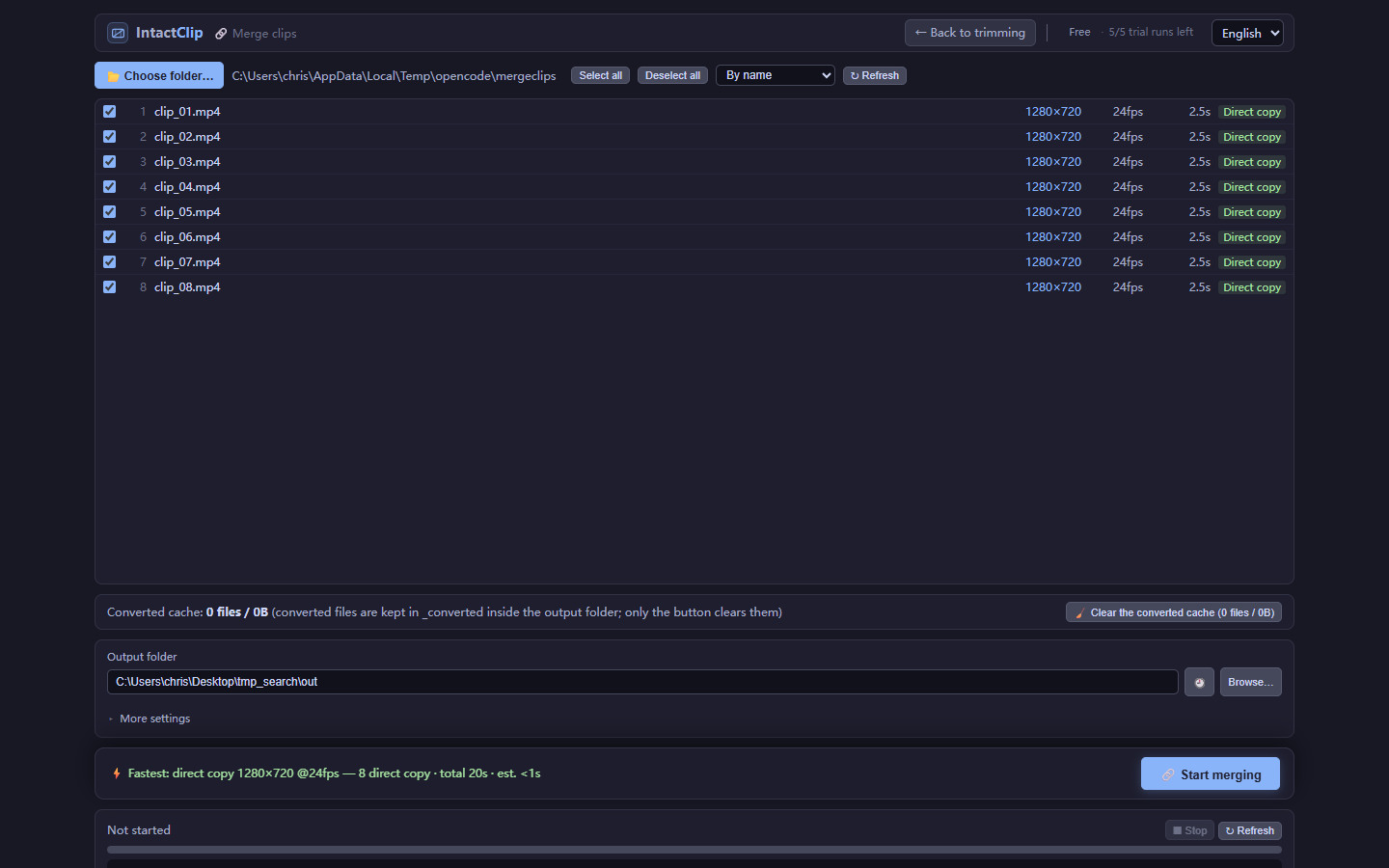
Converted clips are cached and reused, so a repeat merge skips the work it already did. Every merge ends with a three-way check — stream parameters, duration, and decoded frame count versus the sum of the clips — before it reports success.
Compare
Free tools are free for a reason: you find out what they can't do at the moment it fails. Here is the honest version.
| Capability | IntactClip | LosslessCut | Bandicut |
|---|---|---|---|
| Lossless cutting (no re-encode) | Yes | Yes | Yes |
| Frame-accurate start | Yes any file | Experimental some H.264 files, rarely H.265 | Re-encodes precise mode only |
| Join clips whose parameters differ | Yes picks the plan with the fewest re-encodes, remuxes the rest through MPEG-TS | No requires identical parameters, fails otherwise | Limited mismatched sources usually need re-encoding |
| See per-clip plan before starting | Yes direct copy / remux / re-encode, labelled up front | No | No |
| Runs offline, no upload, no account | Yes | Yes | Yes |
| Price | $7.99 launch price ($14.99) | Free open source | ~$29.95 |
LosslessCut is genuinely good software and it is free; if you only need lossless cuts on matching files, use it. IntactClip exists for the two things it does not do: frame-accurate starts on any file, and joining sources whose parameters differ without re-encoding everything.
Pricing
One version, no subscription. The free download is the full app with a cap on how much it will do in a single run — never on quality.
Choose your payment region — same license, same features. Launch price ($7.99 / ¥39) holds for the first 100 orders or two weeks, whichever comes first, then back to $14.99 / ¥59.
International — card or PayPal
$7.99 $14.99 once
- Unlimited clips, files and merge segments
- Lossless and frame-accurate modes
- Cross-source merging with minimal re-encode
- Converted-segment cache across sessions
- 1 year of updates, yours to keep after that
- Portable Windows zip; macOS (Apple Silicon) build, experimental
Visa / Mastercard / Amex / PayPal · prices in USD · prices include applicable sales tax or VAT; the merchant of record collects it. 14-day refund — see refund policy.
Mainland China — WeChat Pay / Alipay
¥39 ¥59 once
- Unlimited clips, files and merge segments
- Lossless and frame-accurate modes
- Cross-source merging with minimal re-encode
- Converted-segment cache across sessions
- 1 year of updates, yours to keep after that
- Portable Windows zip; macOS (Apple Silicon) build, experimental
Paid in CNY by WeChat Pay or Alipay · ordered by email, license key sent back the same day · prices include tax. 14-day refund — see refund policy.
Free version
$0
- First 5 successful runs completely unlimited
- Per run: up to 2 clips from 2 files
- Merges up to 2 segments
- Frame-accurate mode: 5 free tries, then licensed only
- No watermark, no time limit, no account
The caps only start after five finished runs, so you can test a real project before paying. Lossless cutting, batch runs and merging stay free within those caps. Frame-accurate cutting is the one paid capability: you get three complete runs, and after those it stays locked until you buy a license — trimming and merging never lock.
International prices are in USD and collected by our merchant of record, which also handles applicable taxes. Mainland China prices are in CNY and include tax. Need the full terms? See pricing, refunds and privacy.
Questions people actually ask
The cut starts earlier than the time I typed. Why?
Lossless mode copies compressed video, and a player can only start decoding at a keyframe. If your in-point falls between keyframes, IntactClip moves it back to the previous one, so the clip may be slightly longer than you asked for. A 10-second GOP means up to 10 seconds of extra lead-in. This is the cost of not re-encoding. Switch to frame-accurate mode and the cut lands exactly where you set it, at the price of a re-encode.
Why is the download 92 MB for a trimming tool?
ffmpeg is bundled. The Windows package is about 225 MB unpacked (ffmpeg's own binaries and shared libraries are roughly 185 MB of that), which compresses to a 92 MB zip. Bundling means it works on a fresh machine with no install step and no "ffmpeg not found" errors. It includes H.264 and H.265 software encoders plus hardware encode/decode (NVENC / QSV / AMF) when your GPU supports it.
Windows says the app is unrecognized. Is that normal?
Yes, for now. The build is not code-signed, so SmartScreen shows "Windows protected your PC" the first time you run it. Click More info → Run anyway. The app ships as a portable zip, so you can unpack it, check what is inside, and delete it without leaving anything behind. Code signing is planned once volume justifies the yearly certificate cost.
Does it have transitions, titles or colour tools?
No, and that is deliberate. Every transition blends frames, which means re-encoding the seam — the one thing IntactClip exists to avoid. IntactClip covers the first fifteen minutes of the job: cutting clips out and joining them without touching the pixels. Add transitions, titles and grading in Jianying/CapCut or Premiere afterwards. If you need those here, you want an editor, not this.
Can I use it for paid client work?
Yes. The license covers commercial work, and it is per person — editing videos for clients is exactly what it is for. There is no per-project or per-export fee, and no watermark to remove.
Does it work on macOS?
Yes, as an experimental Apple-silicon build on the same download page. It is unsigned and not notarized yet, so macOS will ask you to allow it in System Settings the first time you open it. Intel Macs are not supported yet.